
Developer tool · VS Code
Copy Multiple Files Content
Collect content from multiple project files without copying them one by one. Select files or folders and copy the contents with clear file boundaries and project-relative paths.
The workflow
Select, copy, keep the context.
The command lives in the Explorer context menu. The copied output identifies each file, so its contents stay connected to the project structure.
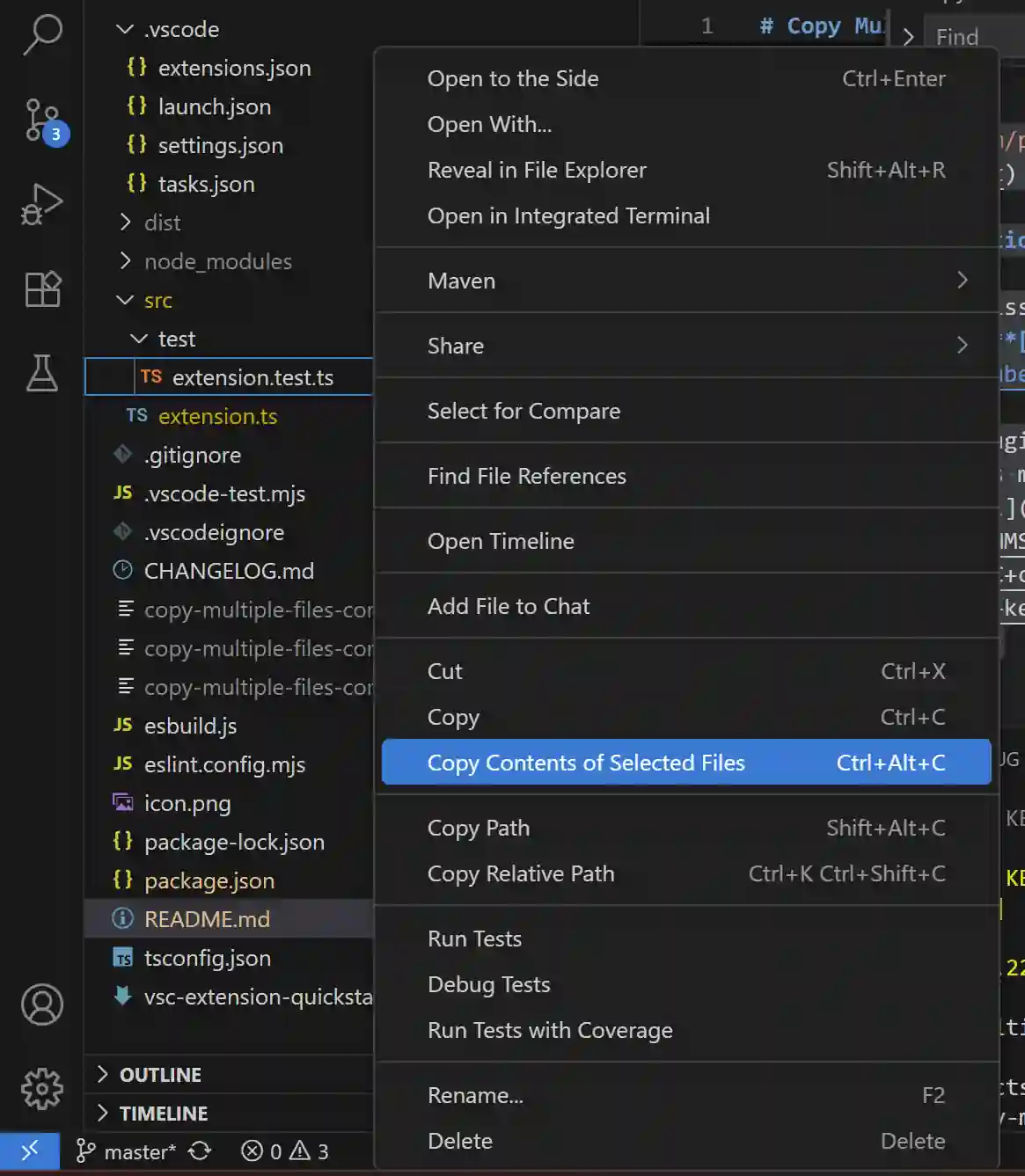
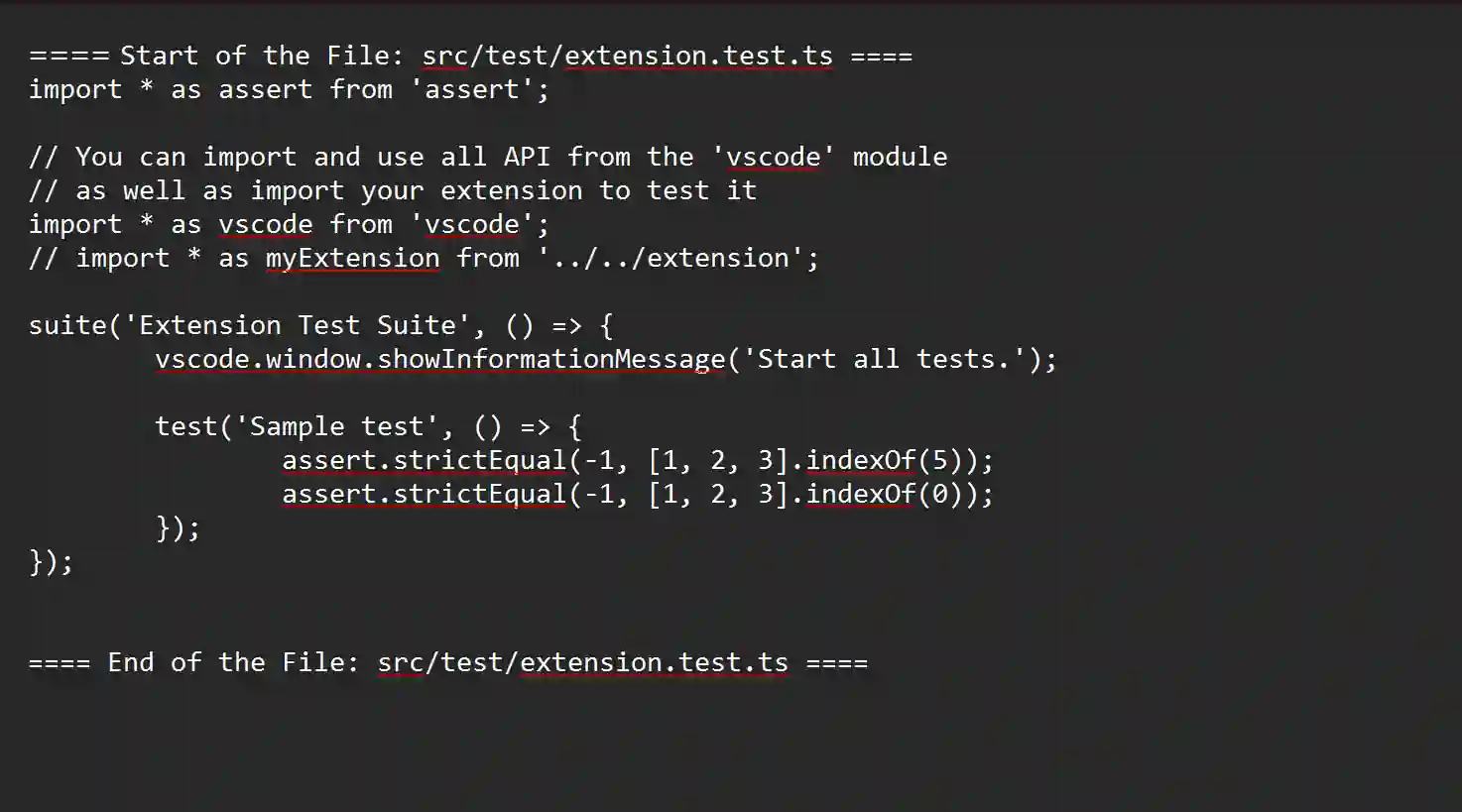
Actual screenshots distributed with the published VS Code extension. Select an image to view it at full size.
Context & contribution
A smaller step in a familiar workflow.
I developed the file-selection and export workflow for this extension. It brings a repeated task-collecting text across project files-into a single command.
The tool can collect files inside selected folders, avoid duplicate selections, and include project-relative labels in the output.
Implementation focus
Preserve useful structure.
When files are copied together, their boundaries matter. The output includes start and end markers so the reader can identify each file.
Recursive traversal handles selected folders, and deduplication avoids repeated content when selections overlap. Binary and unreadable files are skipped; the result is a text export, so it is not a replacement for a repository backup.
Explore the published work
A tool you can inspect and try.
The official listing contains the feature description, usage instructions, and installation details.